If you run a business with any online presence, here’s a hard truth many owners only discover the hard way: you may not actually control your most important digital assets.
Our team has more than 20 years of experience helping businesses grow online, and we regularly see this problem when onboarding new clients. The questions we ask first are simple—yet many business owners cannot answer them.
Here’s what you need to lock down today.
1. Know Exactly Where Your Domain Is Hosted
Your domain name is the foundation of your online identity. Yet many business owners have no idea which registrar holds it.
What to do:
Check your annual or biennial invoices—you’ve been paying someone for the domain.
Confirm you (or a trusted team member) have full admin access.
Make sure the domain is not locked under a previous agency, freelancer, or ex-employee’s account.
Without control of the domain, launching a new website, changing email settings, or transferring providers becomes a major headache.
2. Confirm Where Your Website Is Hosted—and That You Have Login Access
Website hosting is separate from the domain. Do you have the admin credentials for the hosting account (cPanel or equivalent)?
This access is critical if something goes wrong. Good hosts take regular backups. On our Australian servers we create full daily backups, so if a client “completely stuffs up the website,” we can simply restore yesterday’s version.
Also essential: Full admin access to your actual website platform—whether that’s WordPress, Wix, Squarespace, Shopify, or another CMS. Some agencies deliberately withhold this access out of fear that the client will break something. A trustworthy partner should give you full control, especially when proper backups exist.
3. Secure Full Admin Access to All Google Tools
These are non-negotiable for modern marketing and measurement:
Google Analytics
Google Search Console
Google Ads
Google Business Profile
YouTube
If you don’t have full admin (owner-level) access, request it immediately from whoever currently manages these accounts. Without it, you lose visibility into performance, the ability to make changes, and the ability to hand accounts cleanly to a new agency if needed.
4. Take Ownership of Your Meta Business Portfolio
This is one of the most common and painful problem areas. Many businesses discover that their Facebook Page is hard-wired into a Meta Business Portfolio owned by a previous ad agency, freelancer, or employee who has since left.
Regaining control can require submitting identity documents, business ownership proof, and navigating Meta’s support process—an avoidable drama.
Best practice: Ensure multiple trusted people on your team have full admin access. That way, if one account is compromised or someone leaves, others can still protect and manage the assets.
Why This Matters Now
These digital assets; domain, hosting, website, Google tools, and Meta Business Portfolio are the infrastructure of your online business. Leaving them under someone else’s control creates risk: delayed launches, lost access, security vulnerabilities, and expensive recovery processes.
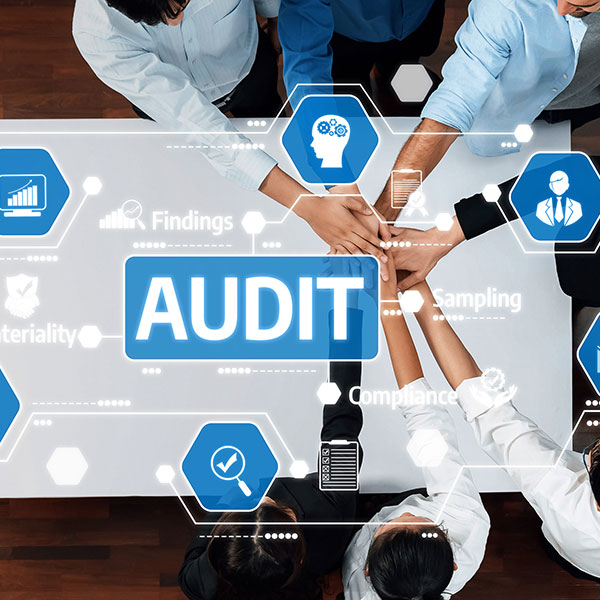
Our advice is straightforward: complete a full digital audit of your business now. Document where everything lives and confirm that you (and at least one other reliable person) have full administrative control.
Doing this once will save significant time, money, and stress later. It also protects your business long-term, especially during staff changes, agency transitions, or unexpected technical issues.
Take 30–60 minutes this week to answer these questions for your own business. Know where everything is hosted, and make sure the keys are in the right hands—yours.
If you need help finding or gaining access to accounts, get in touch and discuss your needs.